Changelog

Follow new updates and improvements to Powerlynx.

2026-10-08

Email to customers

Connect your own mail server (SMTP) or a Gmail mailbox (Google OAuth) and send email straight from Powerlynx.

  • Send an email to one customer from their profile, or run a bulk campaign. The campaign wizard has four steps and sends in batches, so it recovers if something fails midway.

  • The customer Communication tab can filter by channel and open sent emails. A new Email logs page lists every email sent.

  • Customer emails can be verified automatically, or by the customer clicking a confirmation link.

  • One switch turns off all customer email without deleting your SMTP settings.

Access control and customer approval

Decide who gets onto your network.
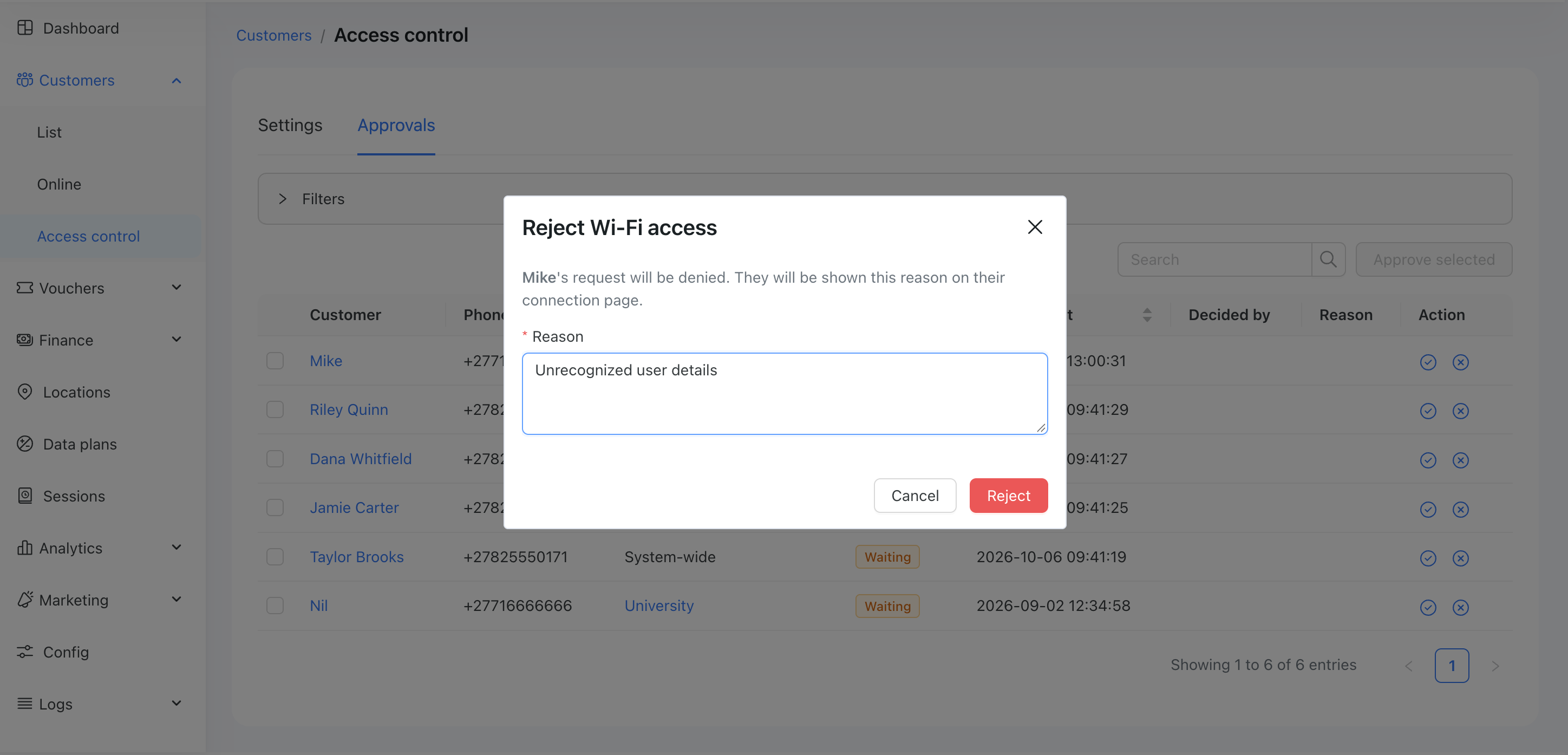
Example 1
  • Access rules can accept, review or reject a customer by phone number, fingerprint or MAC.

  • Manual approval is configured system-wide or per location. Customers who are held or rejected see a waiting page that explains why.

  • Admins get an approval queue and an Access control tab on each customer. Every decision can be changed later.

Custom admin roles and permissions

  • Create roles with a per-module permission matrix and assign them to administrators.

  • The menu, dashboard, and pages only show what each admin is allowed to use.

SSO
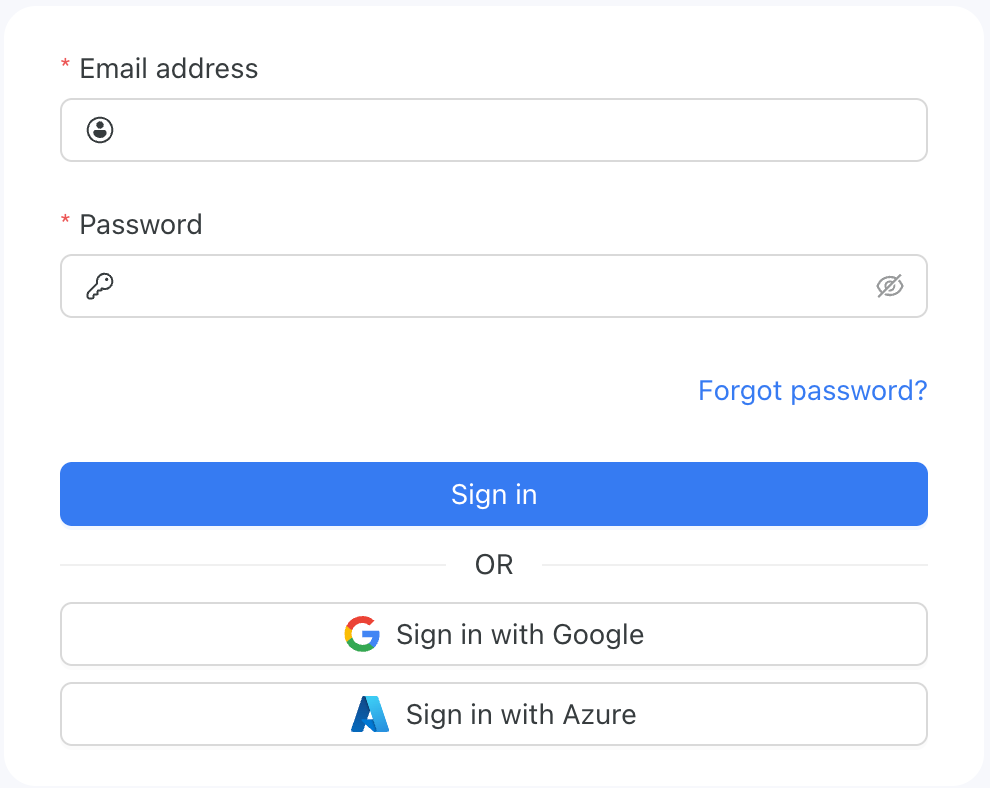

Your administrators can sign in to Powerlynx with your company's own identity provider instead of a separate Powerlynx password. Sign-in, password rules and account deactivation then live where the rest of your company's accounts live - when someone leaves and their directory account is disabled, their access to Powerlynx goes with it.

Public APIs

We expanded our API library to support custom integrations with our platform.

Reseller portal

  • Per-agent statistics in the analytics tab.

  • A vouchers list and a Buy vouchers button on the dashboard.

  • Send a voucher by SMS to any phone number, even one not linked to a customer.

  • The device limit now shows on the voucher card and voucher page.

Customer portal

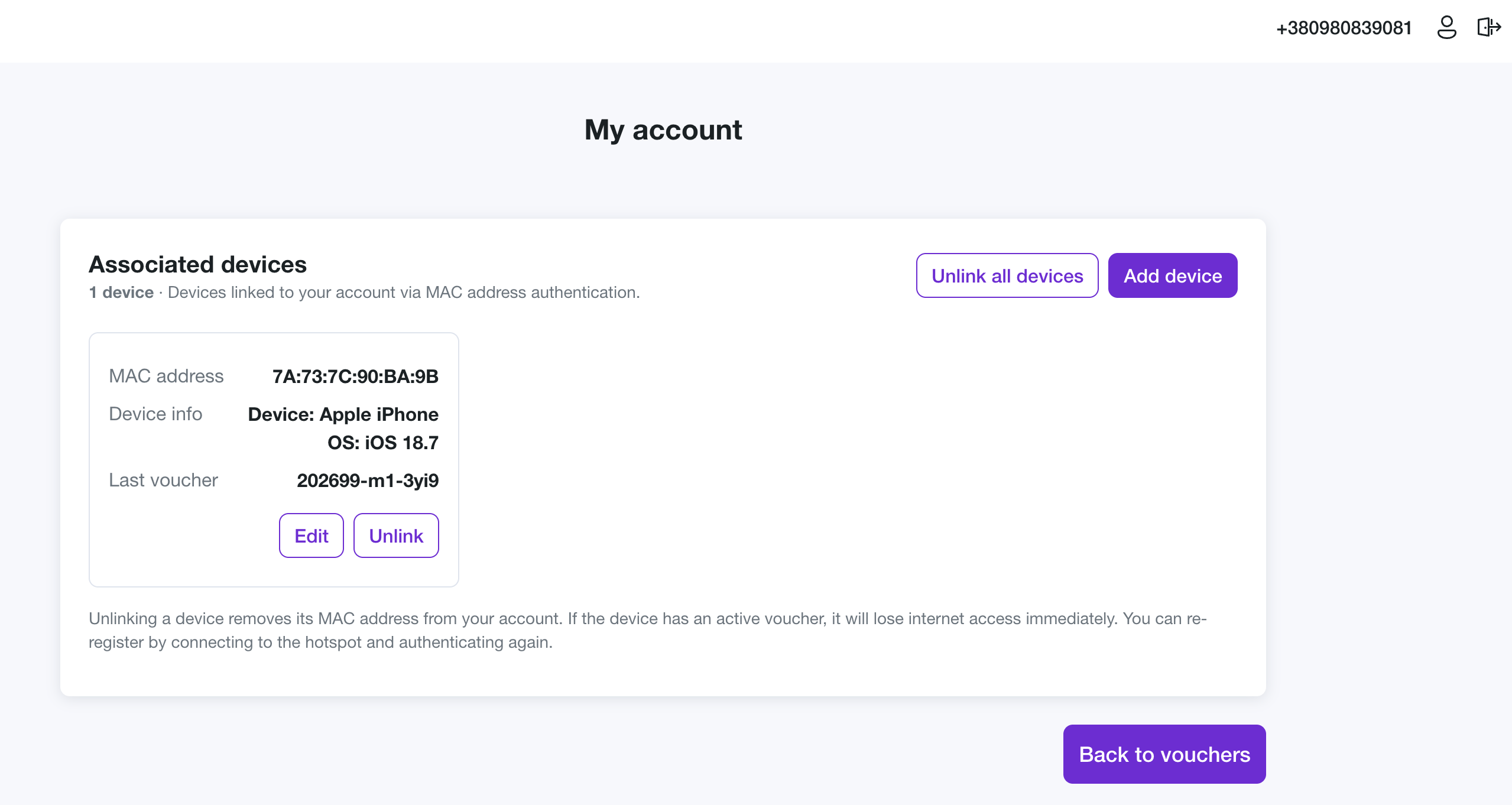
  • Manage MACs from the portal:

    Customers can now manage connected devices and assign or remove devices from vouchers.

Selcom payment gateway for Tanzania

Customers can pay for vouchers with Selcom

Vodacom M-PESA payment gateway

Accept M-Pesa mobile money payments in Tanzania, Mozambique, DR Congo and Lesotho. Customers can pay for plans and vouchers from their phone, with no card needed.

Other improvements

  • Target groups can filter by the number of active and unused vouchers.

  • Added Spanish translations for the admin and portal pages
2026-07-23

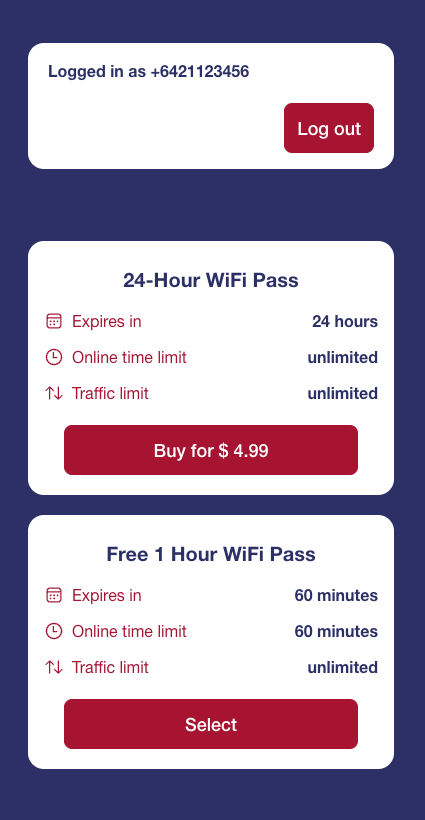
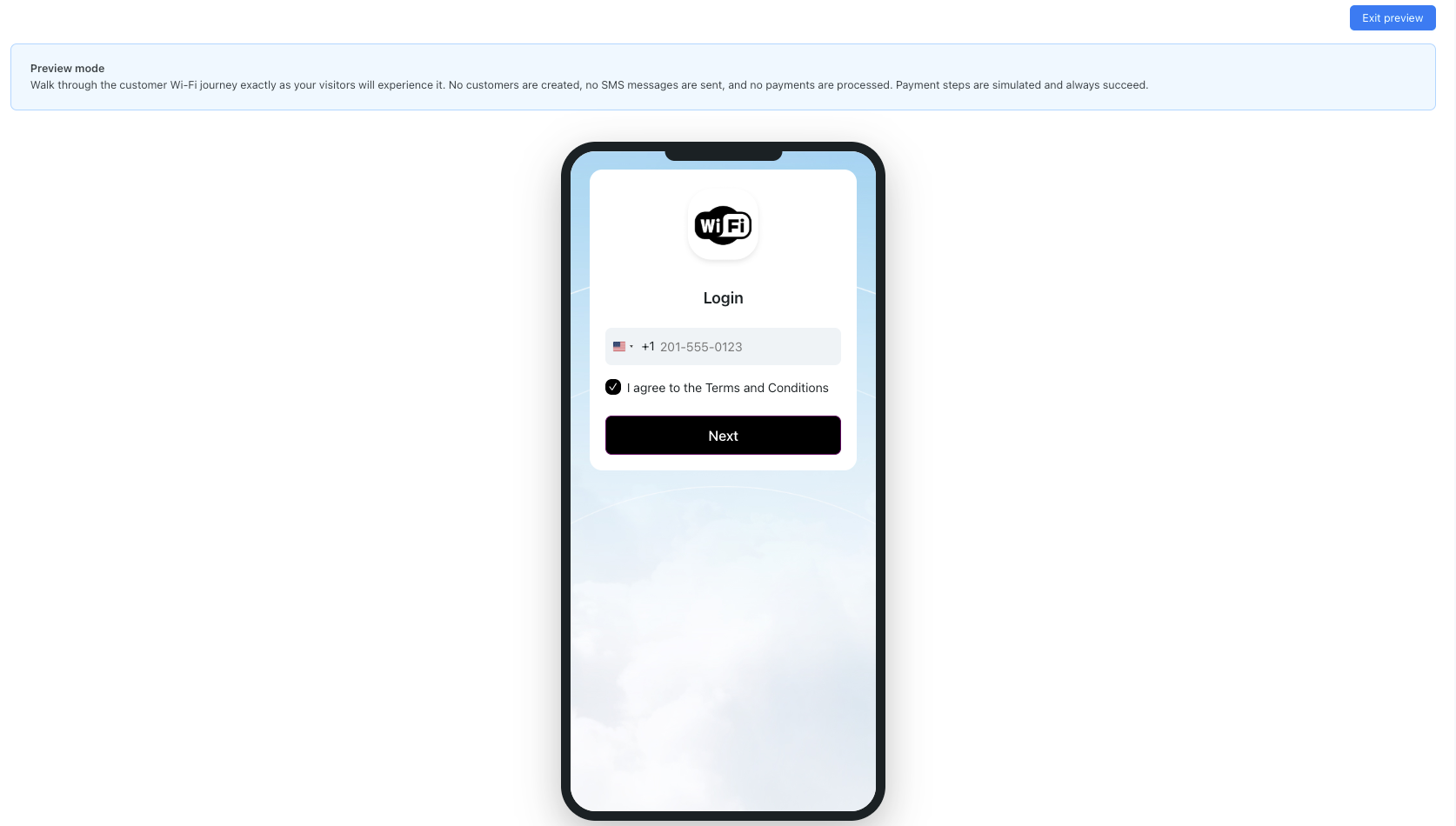
Splash Page Preview

The Preview feature lets you experience your splash page exactly as your end users will, directly from the admin panel - without needing to connect to the actual Wi-Fi network or use a real device on site.

Splash page preview login screen

Reseller Portal Analytics

The Analytics tab on the Reseller & Organizations page gives platform operators a consolidated view of how their resellers and organizations are performing - revenue generated, voucher volumes, sell-through efficiency, and outstanding balances - all in one place.

Purchase vouchers through the portal

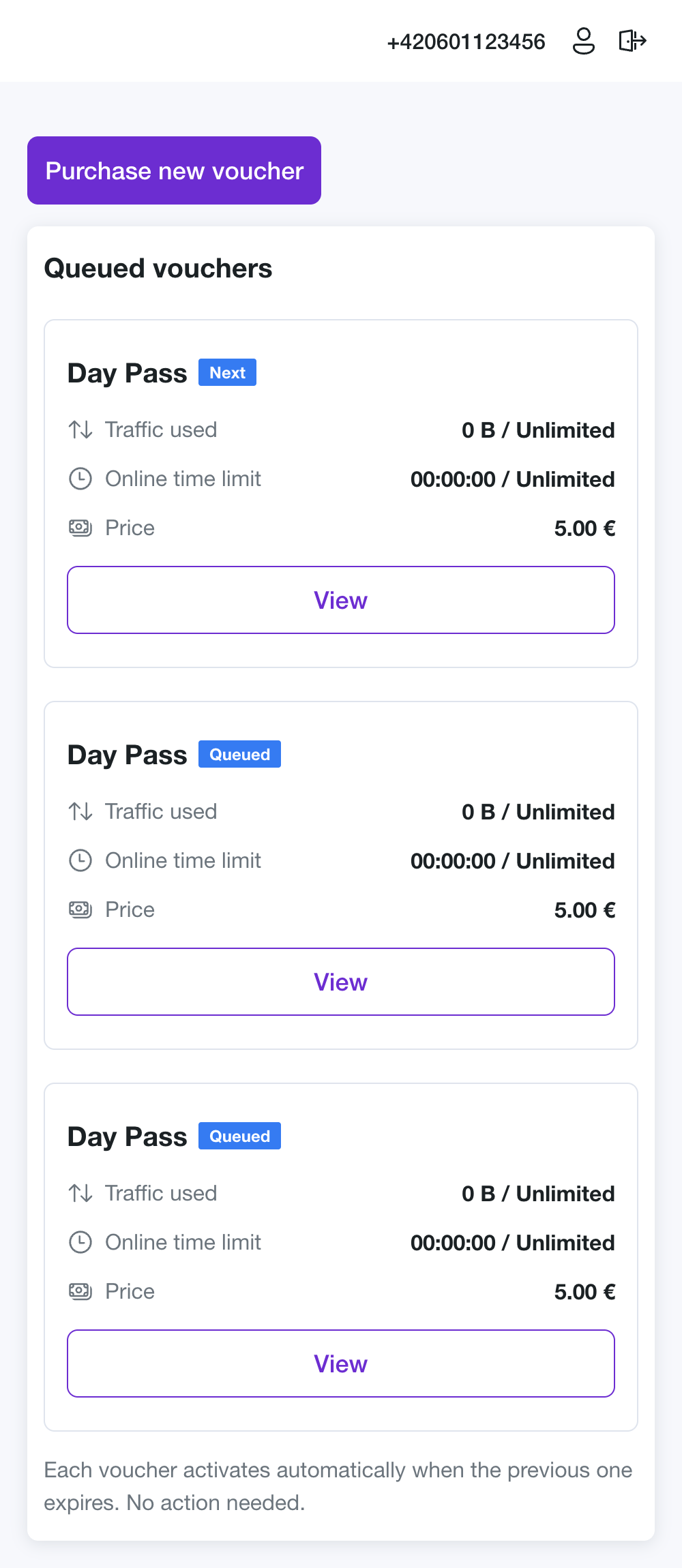
Customers can now buy and queue multiple vouchers directly from the Customer Portal using integrated payment gateways. Queued vouchers activate automatically one after another as the previous one runs out.

The My vouchers page with the queued vouchers below the Purchase button

Updated HubSpot integration

We enhanced field mapping and introduced the capability to push static values into certain HubSpot fields.

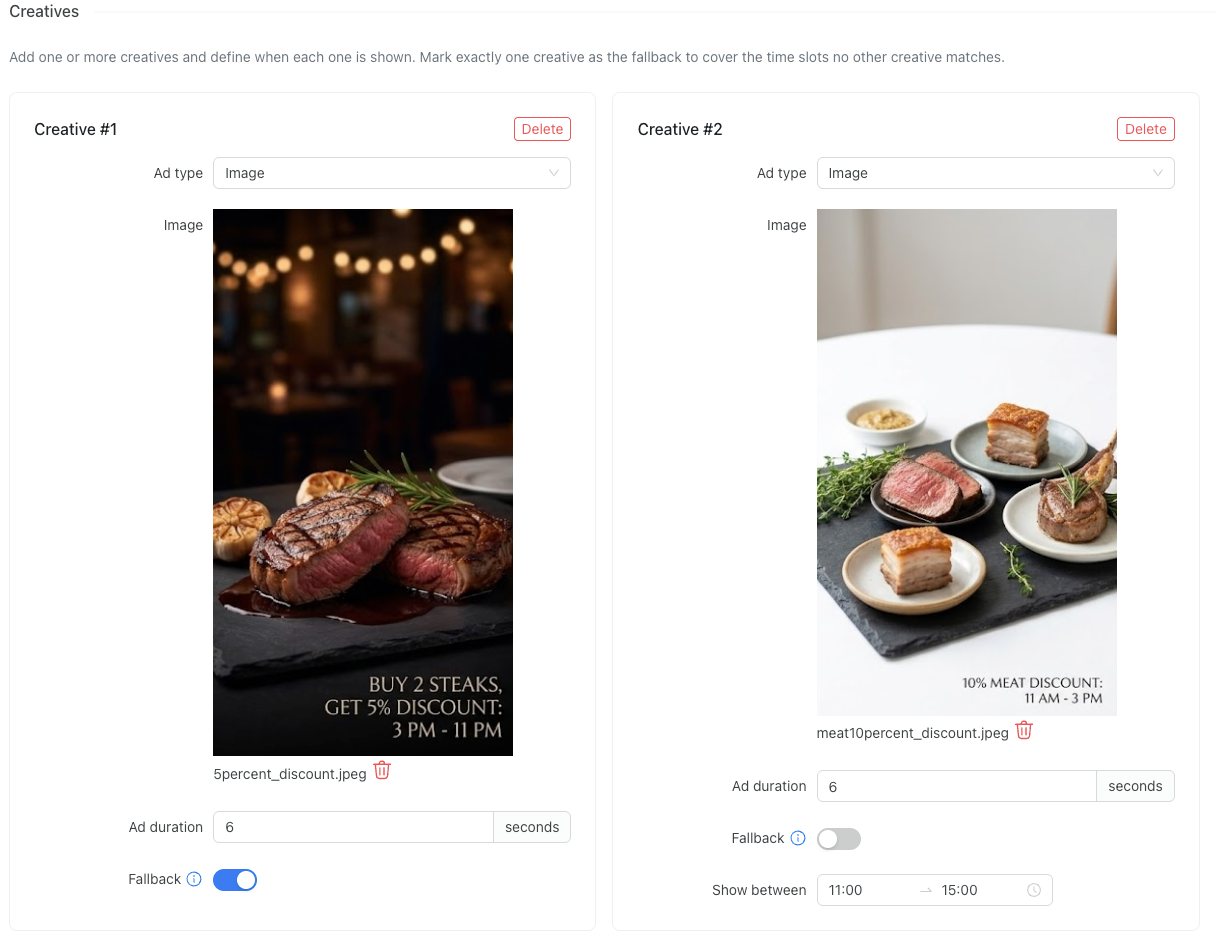
Time-based creatives for ads

You can now schedule your advert creatives to display only during specific times of the day, allowing for more targeted and timely marketing campaigns.

Global hotspots

Introducing global hotspots that can now be linked to multiple locations, unlike the previous version, where each hotspot was associated with only one location.

Re-evaluation of additional fields

Added the ability to re-ask customers to provide missing information that is required. This is useful when you create new additional fields for customers, which are required but existing customers lack. They will be prompted to fill in the missing information before proceeding with data plan selection.

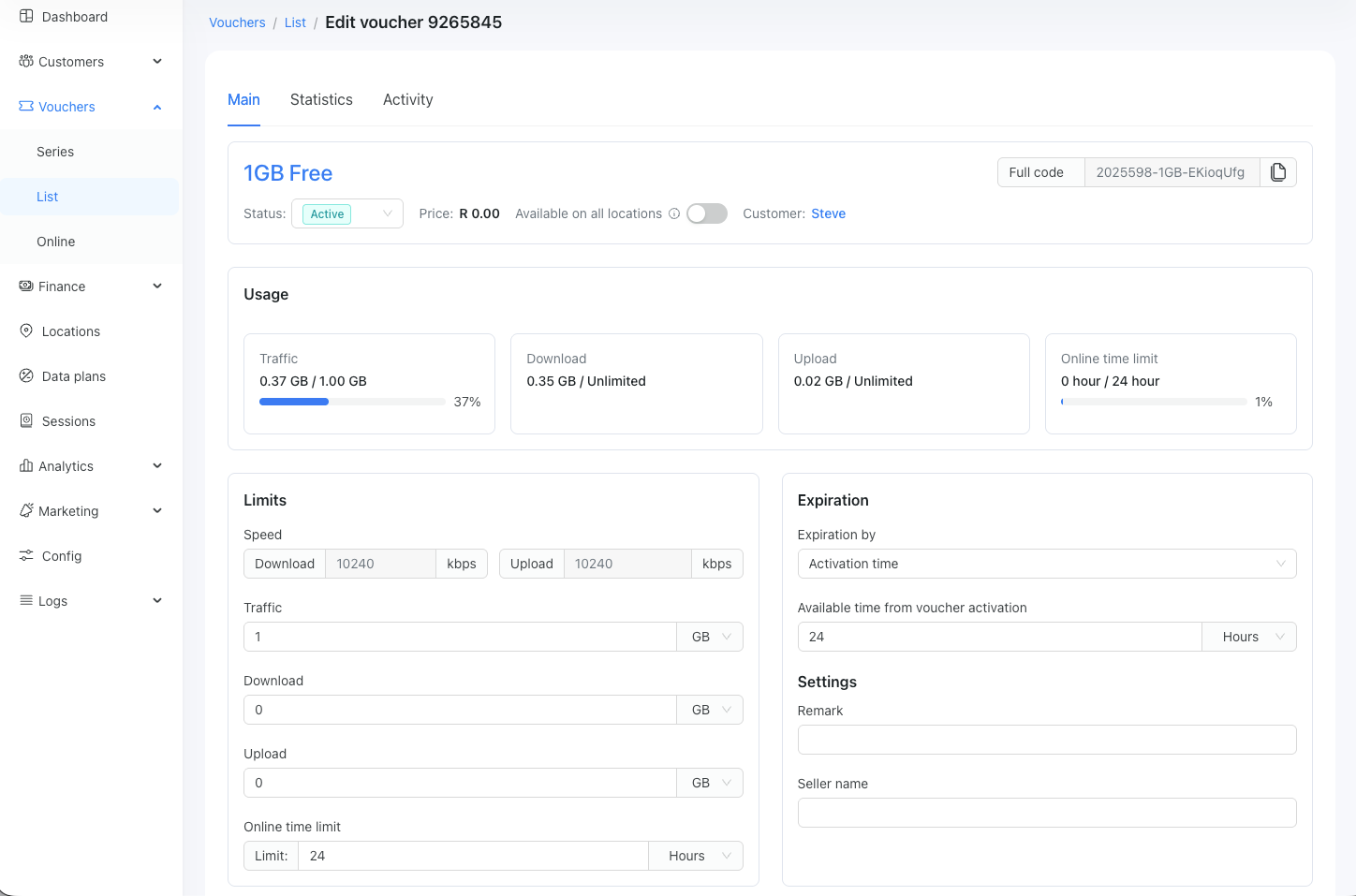
New Voucher User Interface

We improved the UI/UX of the voucher view page:

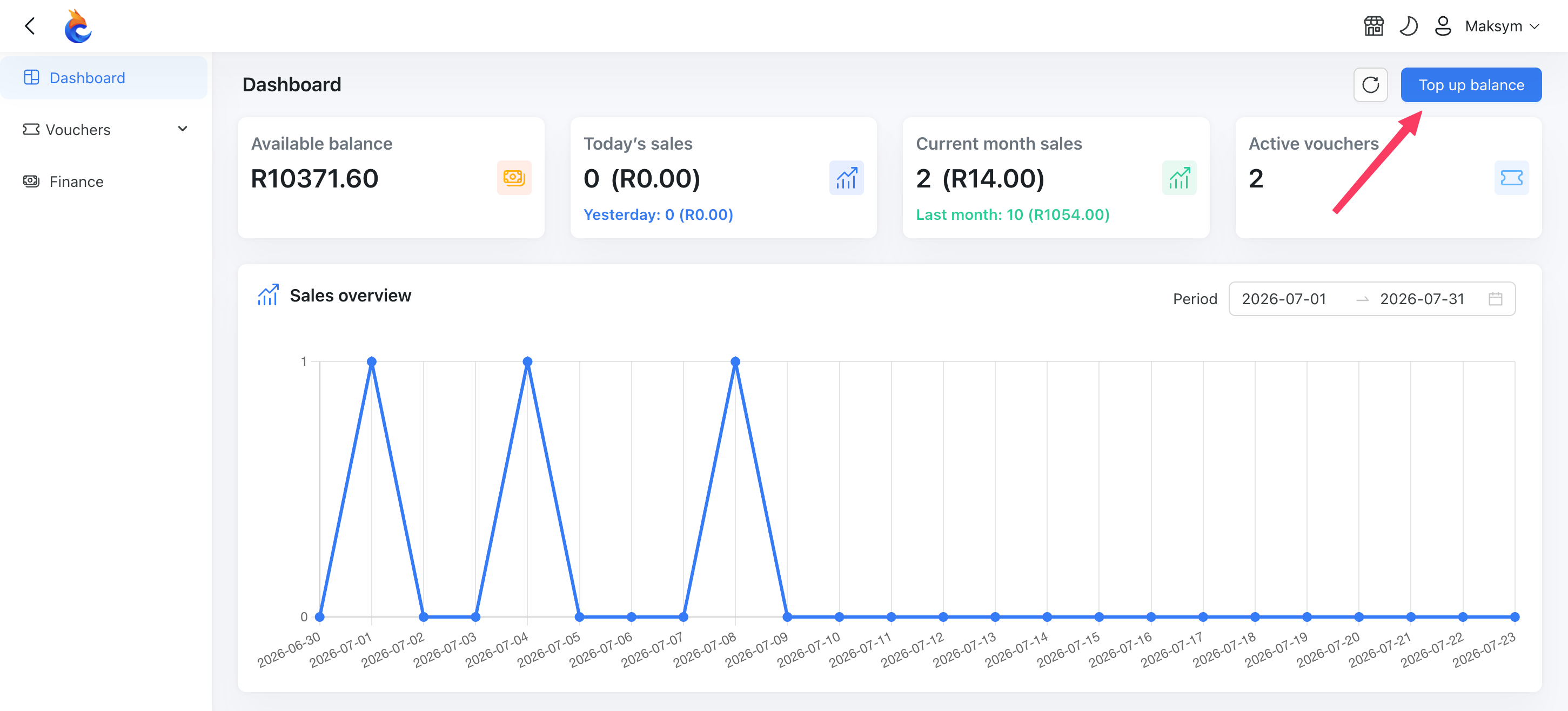
Reseller Portal: Top Up Your Balance Using the Payment Gateway

Now, resellers are able to top up their balance using one of the selected payment gateways

2026-06-12

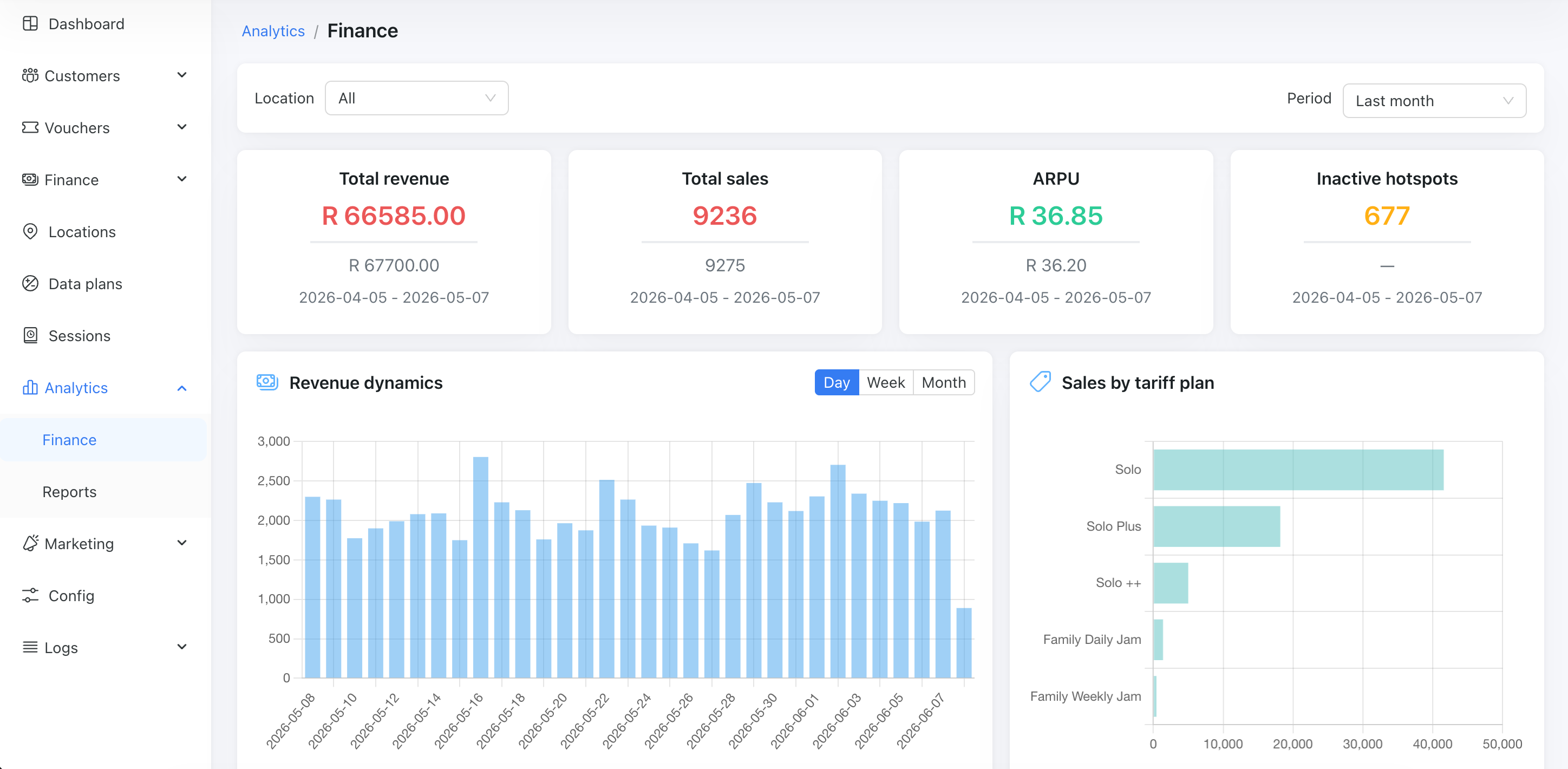
Finance Analytics

We are introducing a new section focused on finance analytics:

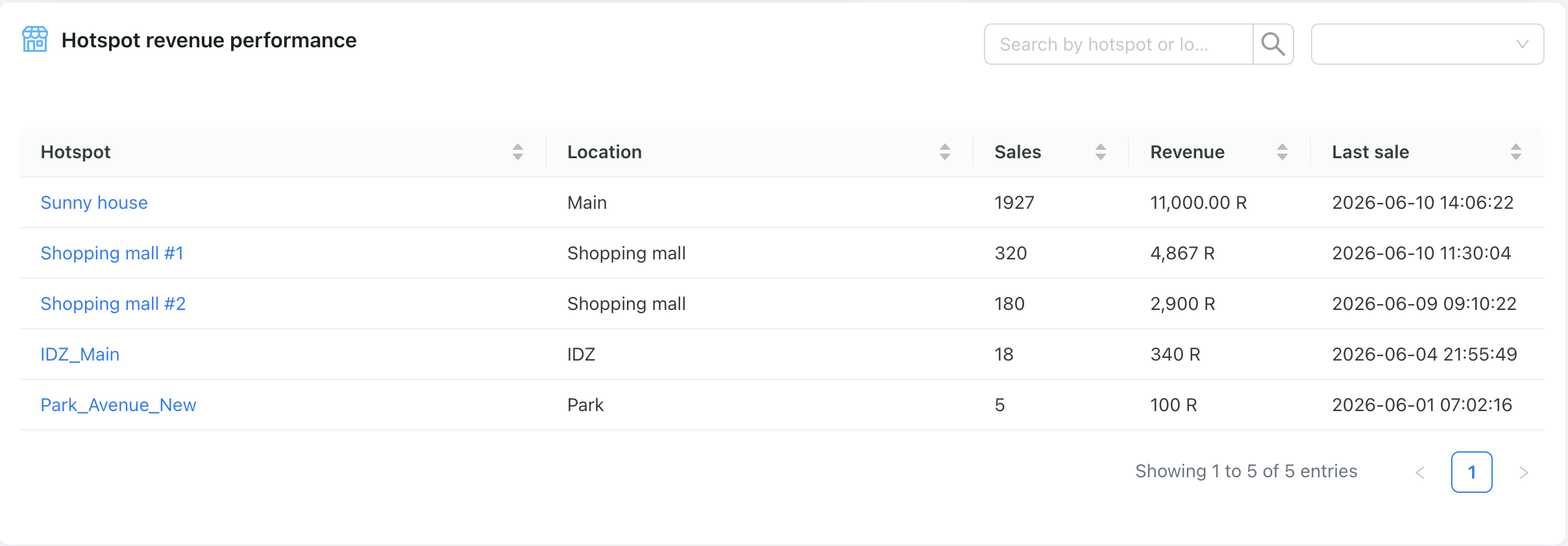
Hotspot revenue performance

Monitor revenue for each location or hotspot, identify those with low revenue, and analyze revenue trends over time.

IPSec

Powerlynx now supports IPSec VPN, enabling connections to hotspots that do not support Wireguard or OpenVPN.

Log out for customers

Customers can now unlink their device from their account directly from the portal or splash page. Useful when signing in with the wrong phone number: just log out and re-authenticate with the number tied to your active voucher.

HubSpot integration

HubSpot is an AI-powered customer platform that combines a central CRM system with integrated tools for marketing, sales, service, and operations.

Connect Powerlynx to HubSpot and sync your customers as contacts. Map fields visually, run a manual sync whenever needed, and track results in the built-in sync log.

BETA - Reseller Portal

We are releasing a BETA version of this functionality to gather customer feedback and improve it.
Powerlynx now supports a full reseller distribution model. Operators can create reseller organizations, configure available plans with custom wholesale pricing, and manage balances. Resellers get their own portal to order voucher batches, manage stock, assign vouchers to customers, and send them via SMS - all without operator involvement.

Earlier updates